STEP 1 : Log in to your Google My Business account – business.google.com
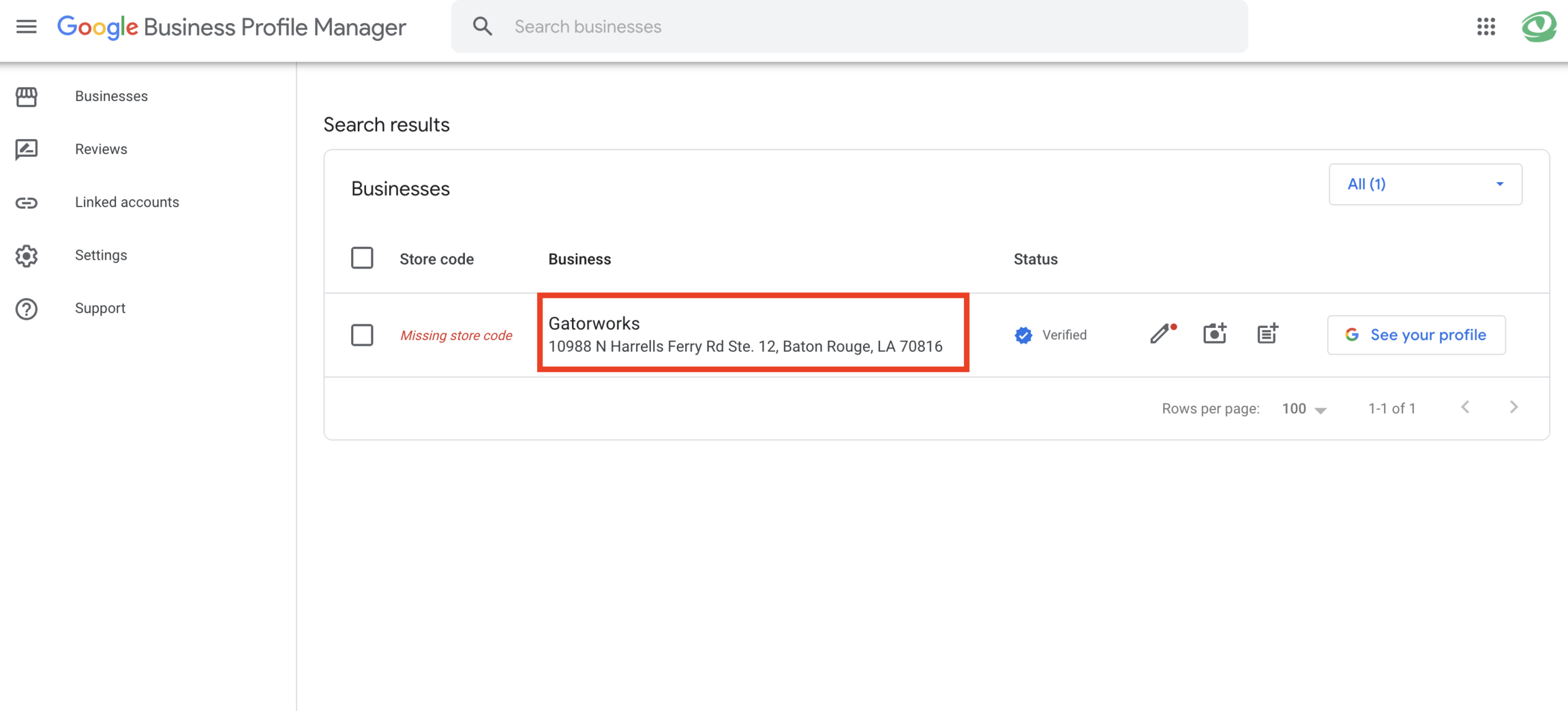
STEP 2: For each location, click on the name of your business profile.
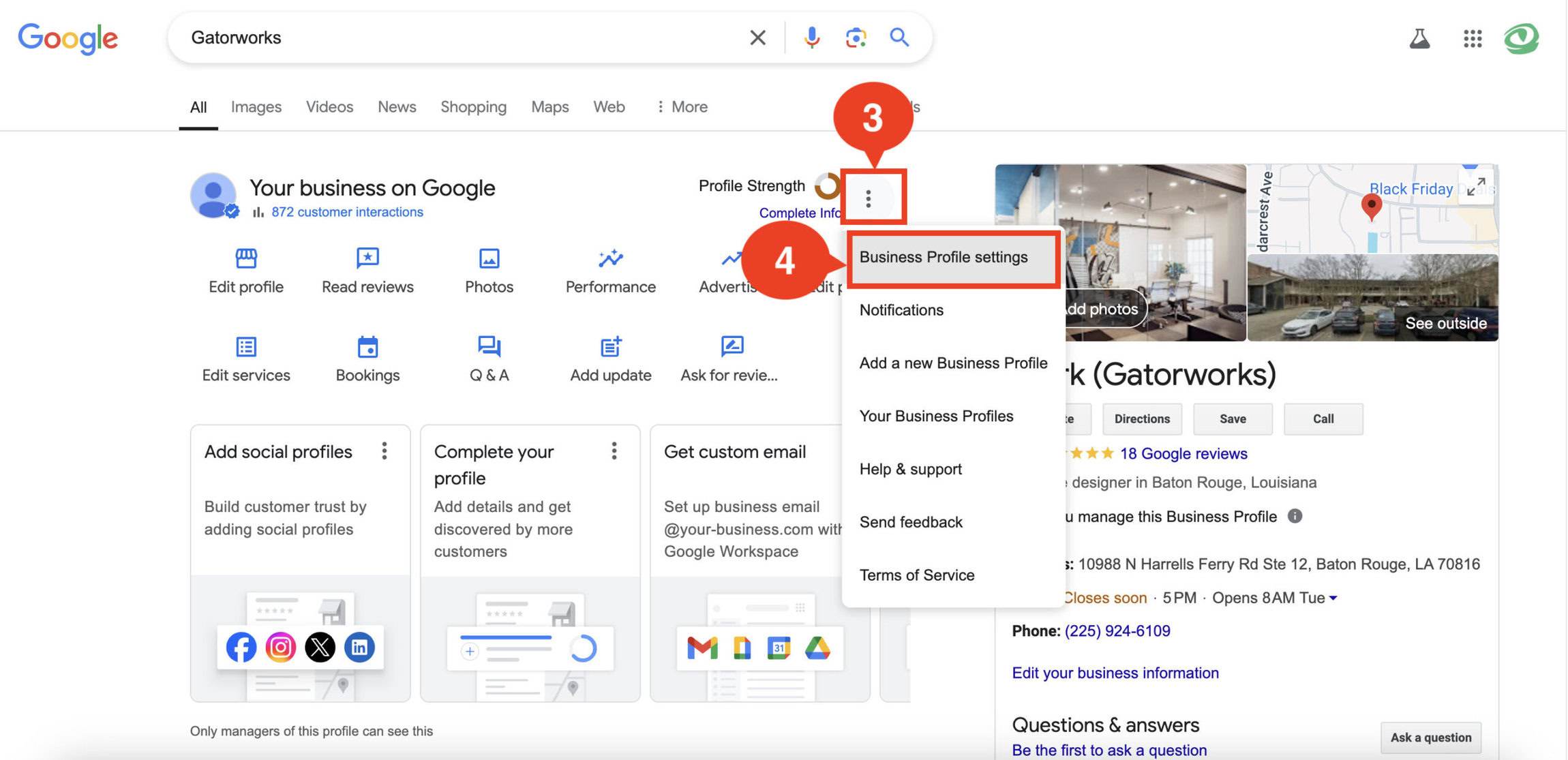
STEP 3: In the search preview, click on the 3 dots next to “Profile Strength” (to the right of “Your business on Google”).
STEP 4: Click “Business Profile Settings”
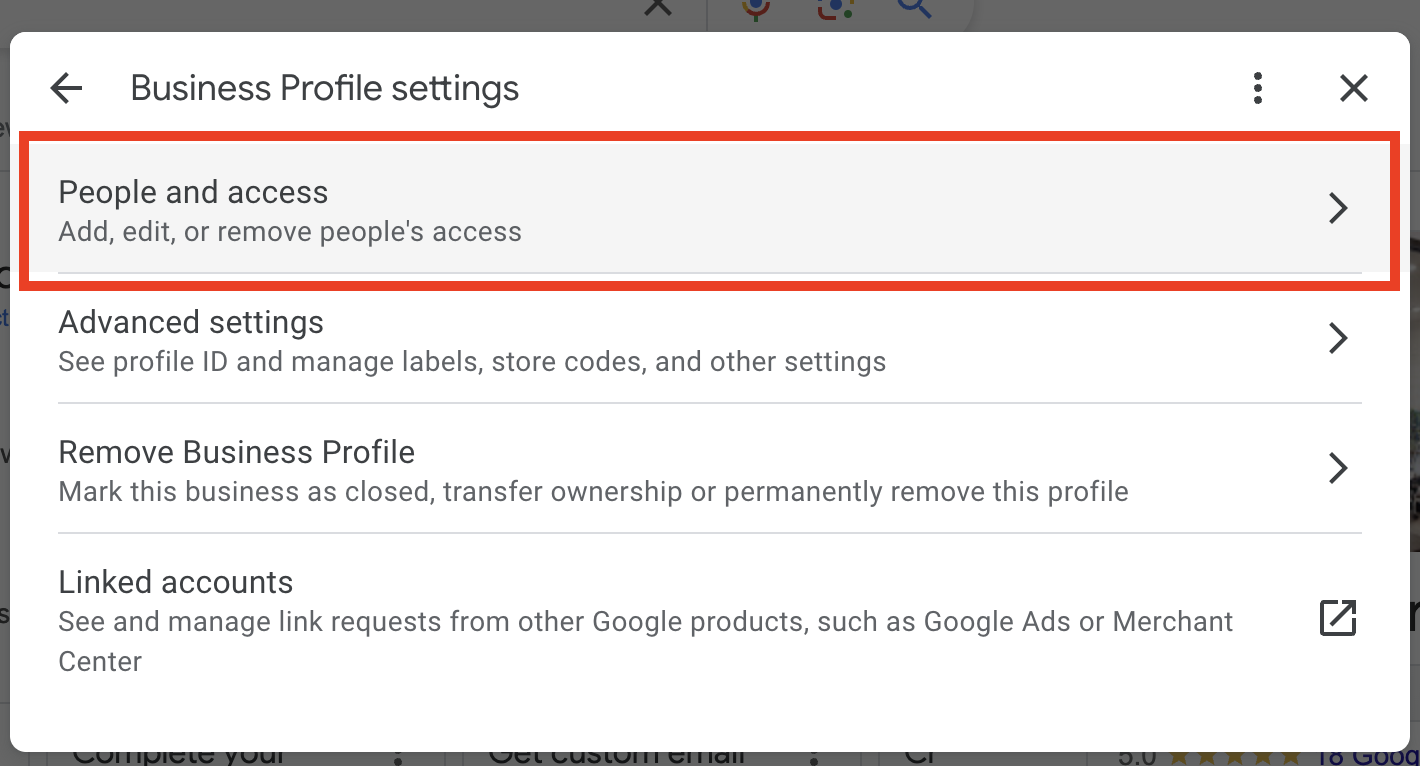
STEP 5: Click “People and Access”. Then Click “Add”.
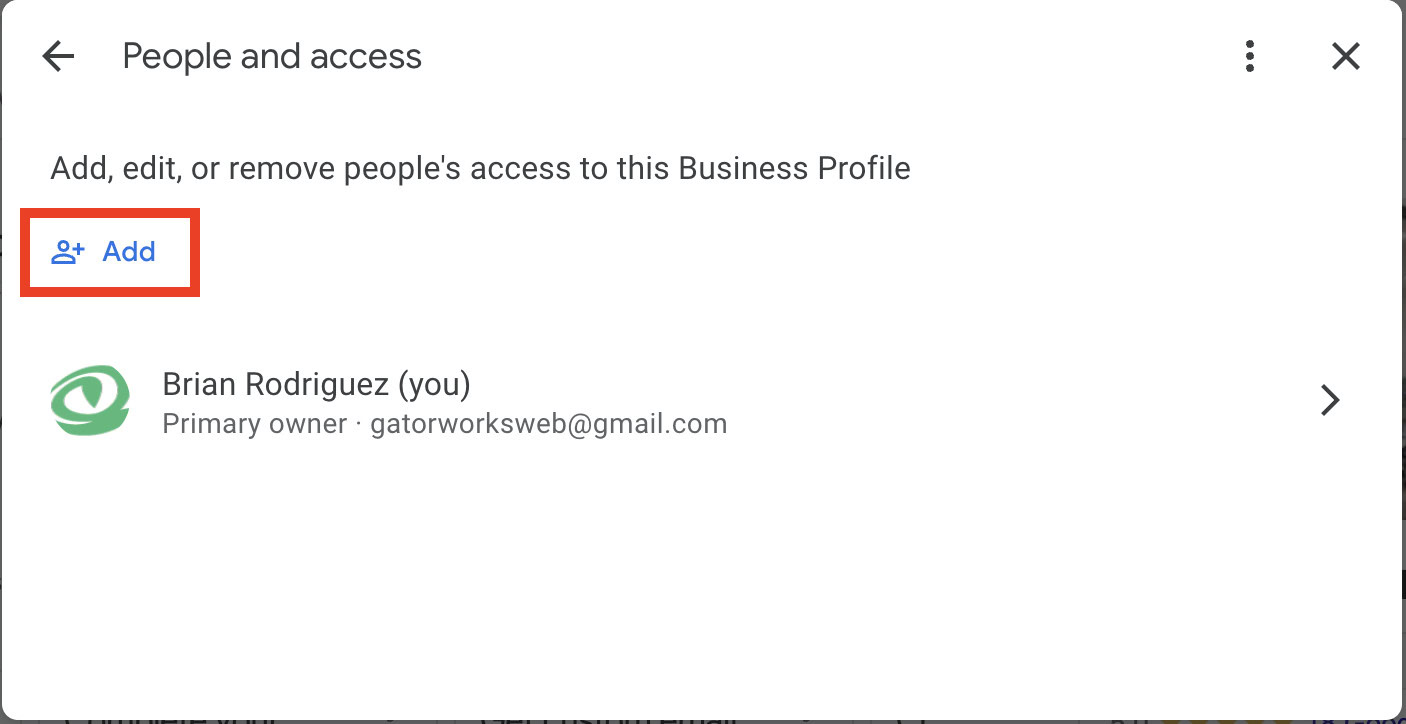
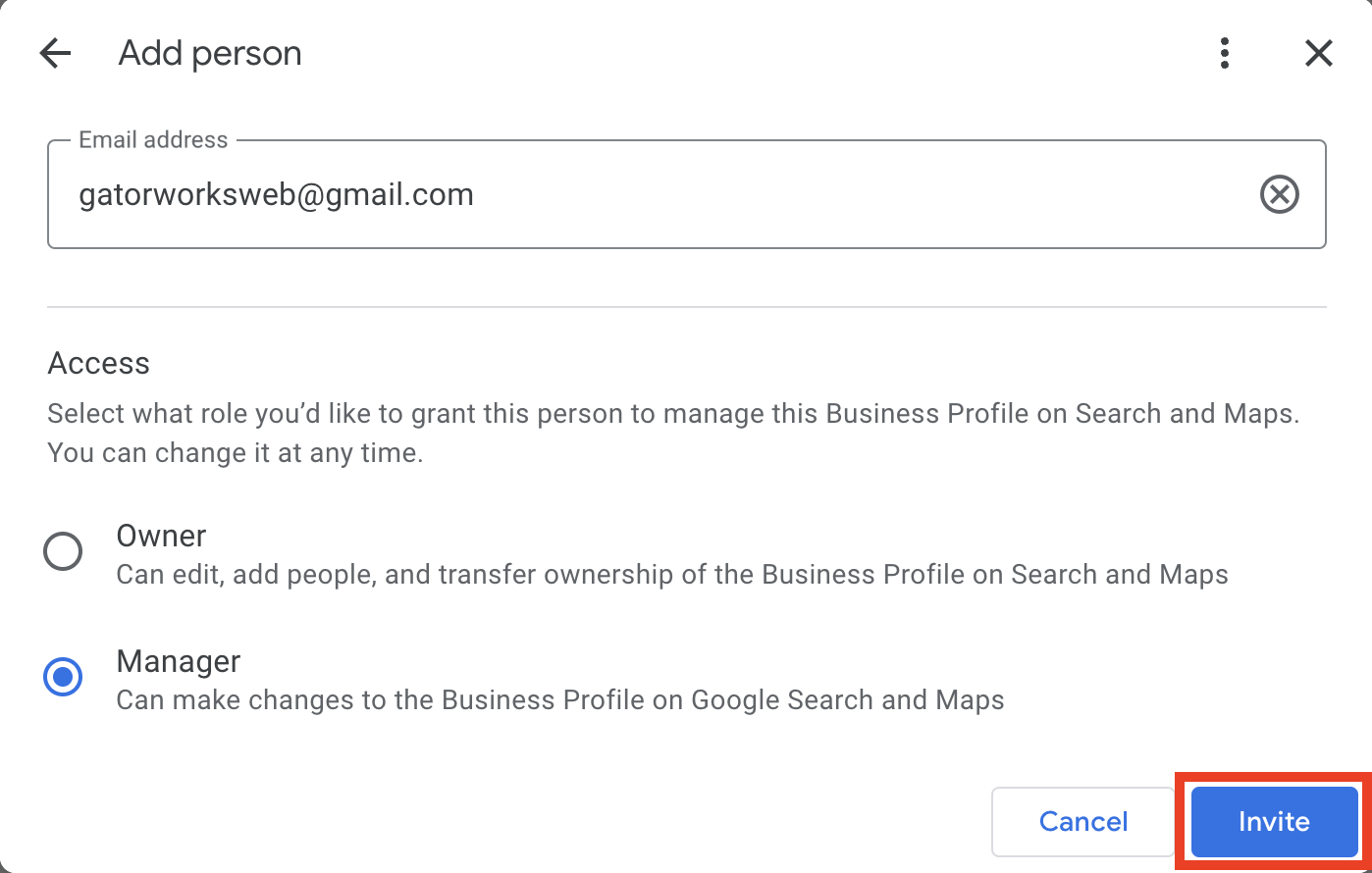
STEP 6: Enter gatorworksweb@gmail.com into the Email Address field, select the “Manager” permissions option, and click “Invite”
STEP 7: Please tell your account manager you have given us access and our team will log in and accept the invite. Thank you!
PLEASE NOTE:
- Gatorworks will need “Owner” access to remove other accounts from the Google Business Profile if desired. As a “Manager”, we are unable to change who has access.
- Once Gatorworks becomes an Owner, there is a 7-day waiting period before we are able to edit user access for the Google Business Profile.