STEP 1 : Please login to your Google tag manager account – tagmanager.google.com
STEP 2: Navigate to your “Admin” tab and click on “User Management”

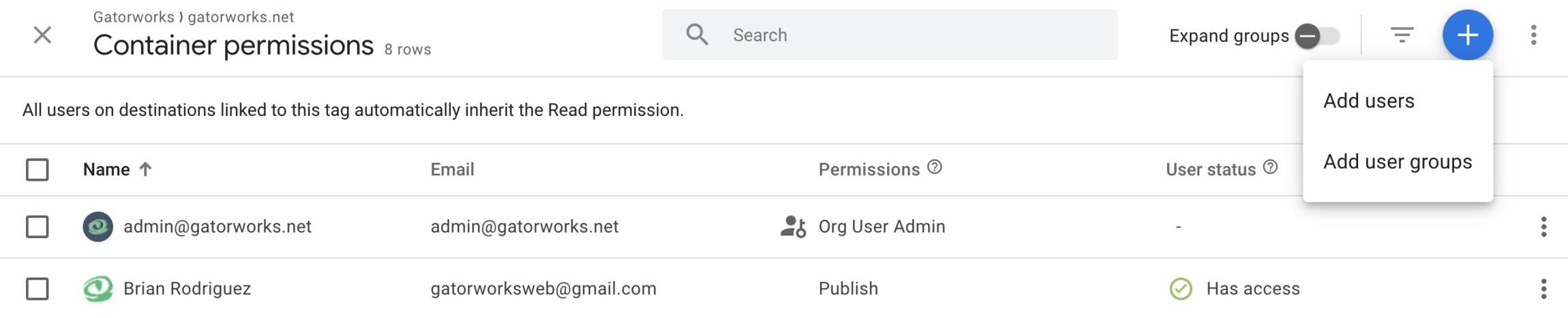
STEP 3: Click on the + in the top right corner and select “Add users”
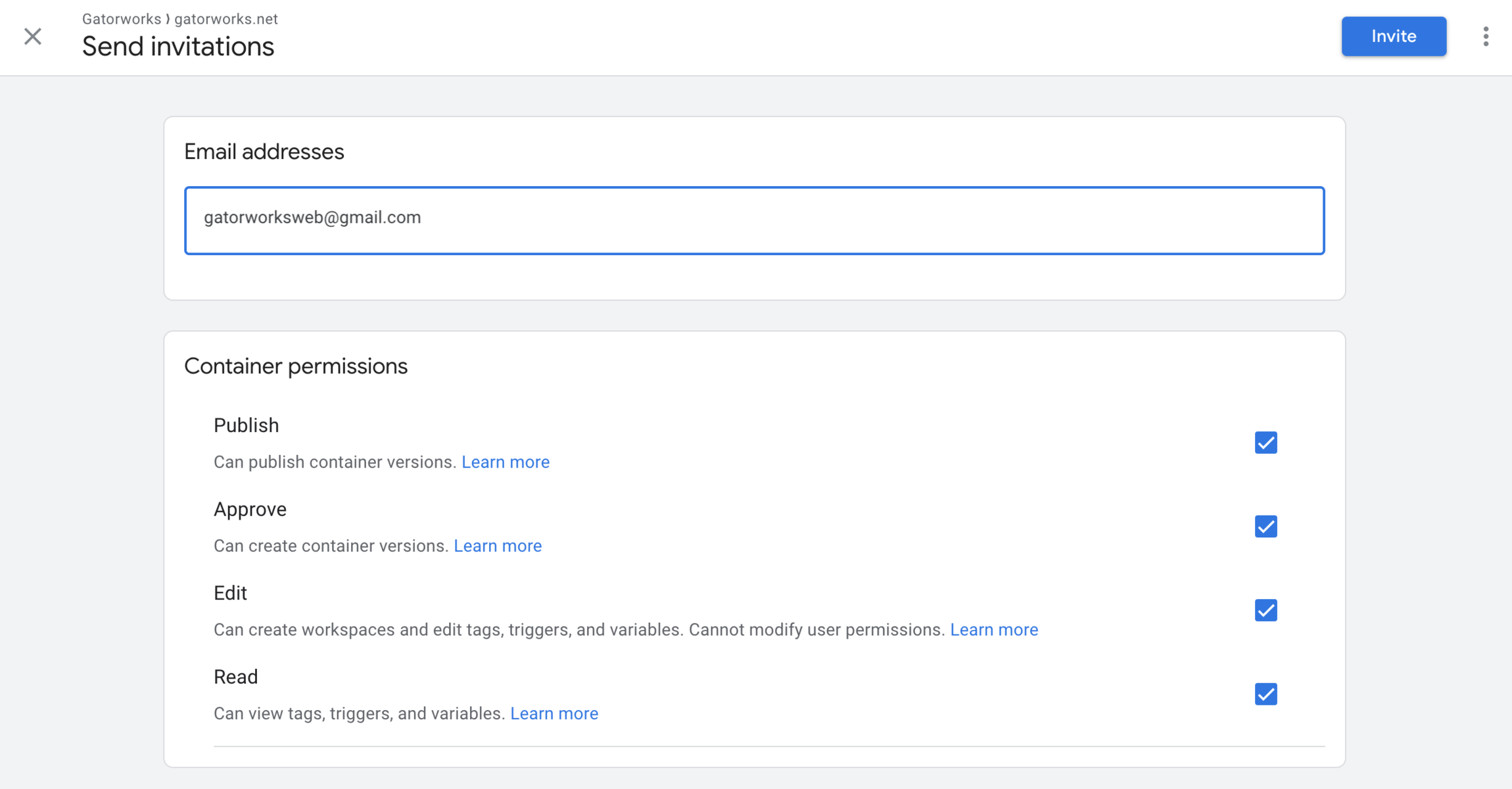
STEP 4: Enter gatorworksweb@gmail.com into the Email Addresses field, select the “Publish” permissions option, and click “Invite”
STEP 5: Please tell your account manager you have given us access and our team will log in and accept the invite. Thank you!